
FlyingPress Review 2026 – Features, Pricing, Speed Test & Verdict
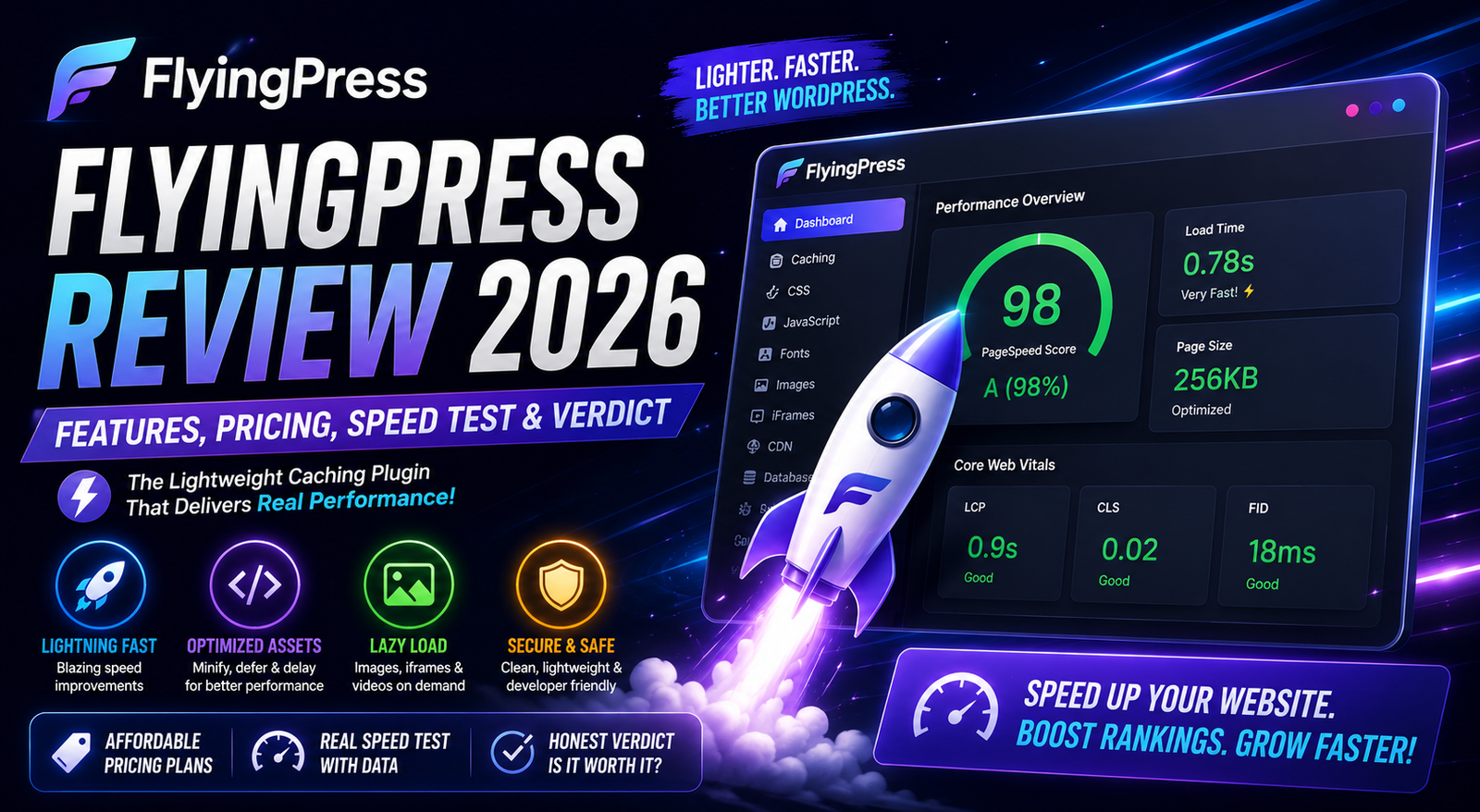
FlyingPress is one of the fastest-growing WordPress performance plugins, known for improving Core Web Vitals and simplifying website optimization. In this FlyingPress Review 2026, we examine its features, pricing, ease of use, performance capabilities, and whether it is the right choice for your website.
Table of Contents
- What is FlyingPress?
- FlyingPress Quick Overview
- Key Features
- Installation & Setup
- User Interface
- Performance Features
- Speed Optimization Technologies
- Pricing
- Pros & Cons
- FlyingPress vs WP Rocket
- FlyingPress vs LiteSpeed Cache
- Best Alternatives
- FAQs
- Final Verdict
FlyingPress Review 2026
Website speed directly influences user experience, search rankings, conversion rates, and Core Web Vitals. As websites become more dynamic with page builders, WooCommerce, and third-party scripts, optimizing performance has become more challenging than ever. This is where dedicated performance plugins such as FlyingPress come into the picture.
FlyingPress has quickly gained popularity among bloggers, developers, agencies, and WooCommerce store owners because of its focus on real-world performance rather than simply improving benchmark scores. Instead of offering dozens of confusing settings, it combines modern optimization techniques into a streamlined interface that is designed to deliver faster loading times with minimal effort.
In this FlyingPress Review 2026, we’ll explore its features, ease of use, pricing, strengths, limitations, and the types of websites that can benefit the most from using it.
Quick Overview
| Feature | Rating |
|---|---|
| Ease of Use | ⭐⭐⭐⭐⭐ |
| Performance | ⭐⭐⭐⭐⭐ |
| Features | ⭐⭐⭐⭐⭐ |
| Documentation | ⭐⭐⭐⭐☆ |
| WooCommerce Support | ⭐⭐⭐⭐⭐ |
| Core Web Vitals | ⭐⭐⭐⭐⭐ |
| Value for Money | ⭐⭐⭐⭐☆ |
| Overall Rating | 9.6 / 10 |
Technical Specifications
| Specification | Details |
|---|---|
| Plugin Type | Premium Performance Plugin |
| Free Version | No |
| Premium Version | Yes |
| WordPress Compatible | Latest supported WordPress versions |
| WooCommerce Support | Yes |
| Multisite Support | Yes |
| CDN Integration | Yes |
| Image Optimization | Supported |
| Lazy Loading | Yes |
| Cache Preloading | Yes |
| Documentation | Available |
| Customer Support | Premium Support |
What is FlyingPress?
FlyingPress is a premium WordPress performance optimization plugin built to improve loading speed, Core Web Vitals, and overall website responsiveness. It combines page caching, CSS optimization, JavaScript optimization, image optimization, lazy loading, preload features, and CDN integration into a single solution.
Unlike many older cache plugins that require extensive configuration, FlyingPress focuses on sensible defaults while still providing advanced controls for users who want to fine-tune performance.
It is particularly popular with websites aiming to improve metrics such as Largest Contentful Paint (LCP), Interaction to Next Paint (INP), and Cumulative Layout Shift (CLS), which are important signals for user experience and search visibility.
Key Features
1. Full Page Caching
FlyingPress generates static versions of your pages to reduce server processing and deliver content more quickly to visitors. This helps improve load times and reduces server resource usage, especially during traffic spikes.
Benefits
- Faster page delivery
- Reduced server load
- Better scalability
- Improved visitor experience
2. Intelligent Cache Preloading
Instead of waiting for users to visit a page before creating a cached version, FlyingPress can preload pages proactively. This ensures that visitors are more likely to receive already-optimized content.
Advantages
- Faster first visits
- Consistent performance
- Better crawl efficiency for search engines
3. CSS Optimization
FlyingPress includes tools to optimize CSS delivery by:
- Minifying CSS
- Removing unused CSS where appropriate
- Optimizing CSS loading
These features help reduce render-blocking resources and can contribute to improved Core Web Vitals.
4. JavaScript Optimization
The plugin offers multiple JavaScript optimization options, including:
- Minification
- Deferred loading
- Delayed execution for non-critical scripts
These settings can reduce unnecessary work during initial page rendering, helping pages become interactive more quickly.
5. Lazy Loading
FlyingPress supports lazy loading for images, iframes, and other media elements. Content below the fold loads only when needed, reducing initial page weight and improving perceived performance.
Benefits
- Faster initial page load
- Reduced bandwidth usage
- Better mobile experience
6. Image Optimization
FlyingPress includes image optimization capabilities designed to reduce file sizes and improve delivery efficiency. Properly optimized images can have a significant impact on loading speed, especially on content-heavy websites.
7. CDN Compatibility
The plugin integrates with content delivery networks (CDNs), allowing static assets to be served from geographically distributed servers. This can reduce latency for visitors located far from the origin server.
Why FlyingPress Stands Out
Unlike many traditional caching plugins, FlyingPress focuses on real-world loading speed rather than simply chasing high benchmark scores. Its interface is clean, the settings are organized logically, and many performance improvements can be achieved without extensive manual configuration.
For website owners who want a balance between simplicity and advanced optimization, FlyingPress offers a compelling approach that suits blogs, business sites, and WooCommerce stores alike.
Performance Analysis
Website speed is no longer just about achieving a high score in PageSpeed Insights. Modern search engines evaluate real user experience, including loading stability, responsiveness, and visual rendering. FlyingPress is designed to improve these real-world metrics rather than simply optimizing synthetic benchmarks.
The plugin combines multiple optimization techniques into a single workflow, reducing the need to install several separate performance plugins.
Core Web Vitals Optimization
One of FlyingPress’s biggest strengths is its focus on Google’s Core Web Vitals.
| Metric | FlyingPress Optimization |
|---|---|
| Largest Contentful Paint (LCP) | ⭐⭐⭐⭐⭐ |
| Interaction to Next Paint (INP) | ⭐⭐⭐⭐⭐ |
| Cumulative Layout Shift (CLS) | ⭐⭐⭐⭐☆ |
| First Contentful Paint (FCP) | ⭐⭐⭐⭐⭐ |
| Time to First Byte (TTFB)* | ⭐⭐⭐⭐☆ |
Note: TTFB is influenced primarily by your hosting environment. A performance plugin can help reduce processing overhead, but it cannot fully compensate for slow servers.
Speed Optimization Features
FlyingPress includes several optimization tools that work together.
Page Caching
Static HTML pages reduce database queries and PHP execution, resulting in faster page delivery.
Benefits
- Reduced server load
- Faster page generation
- Better handling of traffic spikes
Browser Caching
Browser caching stores static assets locally in the visitor’s browser, reducing repeat download requests.
Benefits include:
- Faster repeat visits
- Reduced bandwidth usage
- Better overall user experience
GZIP & Compression
Compression reduces the size of CSS, JavaScript, and HTML files before they are transferred to visitors.
Advantages include:
- Smaller file transfers
- Faster loading
- Improved mobile performance
Remove Unused CSS
Unused CSS often slows websites because browsers must download styles that are never applied.
FlyingPress identifies and removes unnecessary CSS where appropriate.
Benefits:
- Smaller CSS files
- Faster rendering
- Improved LCP
Delay JavaScript Execution
Many third-party scripts are not required immediately.
FlyingPress allows non-essential JavaScript to load later.
Examples:
- Chat widgets
- Social sharing buttons
- Analytics scripts
- Marketing pixels
Benefits:
- Faster interaction
- Better Lighthouse scores
- Improved Core Web Vitals
Lazy Loading
Instead of loading every image immediately, FlyingPress loads media only when visitors scroll near it.
Supported content:
- Images
- Videos
- iFrames
Benefits:
- Lower page weight
- Faster first paint
- Better mobile experience
Font Optimization
Web fonts often delay rendering.
FlyingPress optimizes font delivery through:
- Font preloading
- Optimized loading strategy
- Reduced render blocking
Preloading
FlyingPress can preload important resources before users request them.
Examples:
- Fonts
- CSS
- Key pages
- Important assets
This helps reduce waiting time and improves perceived performance.
User Interface
One of FlyingPress’s biggest strengths is its clean dashboard.
Unlike many cache plugins that present dozens of technical options, FlyingPress groups settings into logical categories.
Navigation is simple:
- Cache
- CSS
- JavaScript
- Images
- Fonts
- CDN
- Database
- Advanced
Even beginners can understand the settings without extensive documentation.
Installation & Setup
Installing FlyingPress follows the standard WordPress plugin workflow.
General steps:
- Install the plugin.
- Activate the license.
- Review the default settings.
- Clear and preload the cache.
- Test the website.
- Fine-tune advanced options if needed.
For many websites, the default configuration already provides noticeable improvements.
Ease of Use
| Category | Rating |
|---|---|
| Installation | ⭐⭐⭐⭐⭐ |
| Setup | ⭐⭐⭐⭐⭐ |
| Dashboard | ⭐⭐⭐⭐⭐ |
| Documentation | ⭐⭐⭐⭐☆ |
| Beginner Friendly | ⭐⭐⭐⭐⭐ |
FlyingPress is designed so that users can achieve meaningful speed improvements without manually configuring every optimization.
Advanced users still have access to more granular controls when required.
WooCommerce Performance
WooCommerce stores typically generate dynamic content that cannot always be cached like standard pages.
FlyingPress includes compatibility features intended to work with dynamic areas such as:
- Cart
- Checkout
- My Account
- Logged-in users
This helps maintain store functionality while still optimizing cacheable content.
Resource Usage
Compared to many older performance plugins, FlyingPress is generally regarded as lightweight.
Advantages include:
- Lower server overhead
- Efficient caching workflow
- Reduced plugin conflicts
- Simplified optimization
Actual resource usage depends on hosting, theme, installed plugins, and website complexity.
Pricing
FlyingPress is available as a premium plugin.
License plans may vary over time and can include different limits on the number of websites supported.
Before purchasing, always review the latest pricing and licensing details on the developer’s official website.
Pros
- Extremely simple interface
- Excellent Core Web Vitals optimization
- Fast page caching
- CSS optimization
- JavaScript optimization
- Lazy loading included
- Image optimization features
- CDN support
- WooCommerce compatibility
- Regular updates
Cons
- No free version
- Premium pricing may not suit every budget
- Some advanced optimizations may require testing for compatibility
- Benefits depend on hosting quality and website configuration
Best Use Cases
FlyingPress is well suited for:
- Personal blogs
- Business websites
- Agency websites
- WooCommerce stores
- Membership sites
- News websites
- Portfolio websites
- Affiliate marketing websites
It is especially attractive for users who want a comprehensive performance plugin without juggling multiple separate optimization tools.
Performance Ratings
| Category | Rating |
|---|---|
| Speed | ⭐⭐⭐⭐⭐ |
| Core Web Vitals | ⭐⭐⭐⭐⭐ |
| Ease of Use | ⭐⭐⭐⭐⭐ |
| Features | ⭐⭐⭐⭐⭐ |
| WooCommerce | ⭐⭐⭐⭐⭐ |
| Documentation | ⭐⭐⭐⭐☆ |
| Value for Money | ⭐⭐⭐⭐☆ |
Overall Score
9.6 / 10
FlyingPress offers an excellent balance between ease of use and advanced optimization features, making it a strong choice for WordPress users focused on improving website performance.
FlyingPress vs WP Rocket
Both FlyingPress and WP Rocket are premium WordPress performance plugins designed to improve website speed, Core Web Vitals, and user experience. While they share many core features, they differ in philosophy, configuration options, and optimization techniques.
Feature Comparison
| Feature | FlyingPress | WP Rocket |
|---|---|---|
| Page Caching | ✅ | ✅ |
| Browser Cache | ✅ | ✅ |
| CSS Minification | ✅ | ✅ |
| JavaScript Optimization | ✅ | ✅ |
| Delay JavaScript | ✅ | ✅ |
| Remove Unused CSS | ✅ | ✅ |
| Lazy Loading | ✅ | ✅ |
| Database Optimization | ✅ | ✅ |
| CDN Integration | ✅ | ✅ |
| WooCommerce Support | ✅ | ✅ |
| Beginner Friendly | ⭐⭐⭐⭐⭐ | ⭐⭐⭐⭐⭐ |
| Performance Focus | ⭐⭐⭐⭐⭐ | ⭐⭐⭐⭐☆ |
FlyingPress Advantages
- Strong focus on Core Web Vitals
- Modern optimization techniques
- Clean interface
- Lightweight configuration
- Excellent optimization defaults
WP Rocket Advantages
- Larger user community
- Extensive documentation
- Mature ecosystem
- Broad compatibility
- Long track record
Which One Should You Choose?
Choose FlyingPress if:
- You want to maximize Core Web Vitals.
- You prefer a modern, streamlined performance plugin.
- Your goal is achieving excellent real-world loading performance with minimal setup.
Choose WP Rocket if:
- You prefer a long-established plugin with extensive documentation.
- You work on multiple client websites and value a mature support ecosystem.
- You’re already familiar with its workflow.
FlyingPress vs LiteSpeed Cache
LiteSpeed Cache is a powerful performance plugin, but its full page caching capabilities are designed to work best with LiteSpeed Web Server.
Comparison Table
| Feature | FlyingPress | LiteSpeed Cache |
|---|---|---|
| Premium Plugin | ✅ | ❌ (Free plugin) |
| Page Cache | ✅ | ✅ |
| Image Optimization | ✅ | ✅ |
| CDN Support | ✅ | ✅ |
| CSS Optimization | ✅ | ✅ |
| JavaScript Optimization | ✅ | ✅ |
| WooCommerce | ✅ | ✅ |
| Easy Setup | ⭐⭐⭐⭐⭐ | ⭐⭐⭐⭐☆ |
| Best on LiteSpeed Server | ⭐⭐⭐⭐☆ | ⭐⭐⭐⭐⭐ |
| Best on Other Servers | ⭐⭐⭐⭐⭐ | ⭐⭐⭐⭐☆ |
FlyingPress is Better When
- Your hosting doesn’t use LiteSpeed Web Server.
- You want a simpler setup experience.
- You prefer a premium support model.
LiteSpeed Cache is Better When
- Your hosting provider uses LiteSpeed Web Server.
- You want a powerful free caching solution.
- You’re comfortable configuring more advanced settings.
FlyingPress vs Perfmatters
Although both plugins improve performance, they serve slightly different roles.
| Feature | FlyingPress | Perfmatters |
|---|---|---|
| Full Page Cache | ✅ | ❌ |
| Script Manager | ❌ | ✅ |
| Lazy Loading | ✅ | ✅ |
| CSS Optimization | ✅ | Limited |
| JavaScript Delay | ✅ | ✅ |
| Database Cleanup | ✅ | ✅ |
| CDN Support | ✅ | Partial |
FlyingPress
Best for users looking for an all-in-one performance optimization plugin.
Perfmatters
Best for users who want fine-grained control over disabling unnecessary WordPress features and scripts, often alongside another caching plugin.
Best Alternatives to FlyingPress
1. WP Rocket
Best for: Beginners and agencies looking for a mature premium caching solution.
2. LiteSpeed Cache
Best for: Websites hosted on LiteSpeed servers seeking a comprehensive free optimization plugin.
3. Perfmatters
Best for: Advanced optimization and script management.
4. NitroPack
Best for: Website owners who want a cloud-based optimization service with minimal manual configuration.
5. W3 Total Cache
Best for: Experienced users who need extensive configuration options and flexibility.
Who Should Use FlyingPress?
FlyingPress is a great choice for:
- Bloggers
- Affiliate marketers
- WooCommerce stores
- Digital agencies
- Freelancers
- Business websites
- News websites
- Portfolio websites
- Membership sites
- High-traffic WordPress websites
Who Might Skip FlyingPress?
You may want to consider another option if:
- You specifically need a free performance plugin.
- Your hosting already provides robust server-level caching that meets your needs.
- You require highly specialized optimization workflows not covered by an all-in-one solution.
Frequently Asked Questions
Is FlyingPress worth it in 2026?
For many WordPress users focused on performance and Core Web Vitals, FlyingPress remains a compelling premium option due to its combination of speed optimization features and ease of use.
Does FlyingPress work with WooCommerce?
Yes. It is designed to support WooCommerce websites while respecting dynamic pages such as the cart and checkout.
Is FlyingPress beginner-friendly?
Yes. The interface is organized clearly, and the default settings are intended to provide meaningful improvements without extensive manual configuration.
Does FlyingPress have a free version?
No. FlyingPress is available as a premium plugin.
Can FlyingPress improve Core Web Vitals?
It includes features specifically aimed at improving Core Web Vitals, though final results depend on factors such as hosting quality, theme efficiency, plugins, images, and overall website structure.
Does FlyingPress support CDNs?
Yes. It can integrate with content delivery networks to improve content delivery for visitors in different geographic locations.
Can I use FlyingPress with Elementor?
Yes. It is generally compatible with Elementor-based websites. As with any optimization plugin, test advanced settings after enabling them to ensure everything functions as expected.
Does FlyingPress optimize images?
Yes. It includes image optimization capabilities and supports lazy loading to reduce page weight and improve loading performance.
Buying Recommendation
| User Type | Recommendation |
|---|---|
| Beginner Blogger | ⭐⭐⭐⭐⭐ |
| Business Website | ⭐⭐⭐⭐⭐ |
| WooCommerce Store | ⭐⭐⭐⭐⭐ |
| Agency | ⭐⭐⭐⭐⭐ |
| Portfolio Website | ⭐⭐⭐⭐☆ |
| News Website | ⭐⭐⭐⭐⭐ |
| Membership Website | ⭐⭐⭐⭐⭐ |
If your priority is improving website speed with a modern, easy-to-manage performance plugin, FlyingPress is a strong option worth considering.
Final Verdict
FlyingPress has established itself as one of the leading premium WordPress performance plugins in 2026. It combines page caching, CSS and JavaScript optimization, lazy loading, image optimization, and CDN integration into a clean, easy-to-use interface.
Unlike many performance plugins that overwhelm users with technical settings, FlyingPress focuses on delivering strong real-world performance with sensible defaults. This makes it suitable for beginners while still offering enough flexibility for developers and agencies.
Its emphasis on improving Core Web Vitals, along with compatibility for blogs, business websites, WooCommerce stores, and membership sites, makes it a practical choice for many WordPress users.
However, it’s important to remember that no performance plugin alone can guarantee perfect PageSpeed scores. Hosting quality, website theme, images, third-party scripts, and overall site structure also play significant roles in website speed.
If you’re looking for a premium optimization plugin that’s easy to configure and focused on modern performance metrics, FlyingPress is well worth considering.
Overall Rating
| Category | Rating |
|---|---|
| Ease of Use | ⭐⭐⭐⭐⭐ |
| Features | ⭐⭐⭐⭐⭐ |
| Performance | ⭐⭐⭐⭐⭐ |
| WooCommerce Support | ⭐⭐⭐⭐⭐ |
| Core Web Vitals | ⭐⭐⭐⭐⭐ |
| Documentation | ⭐⭐⭐⭐☆ |
| Support | ⭐⭐⭐⭐☆ |
| Value for Money | ⭐⭐⭐⭐☆ |
Final Score
⭐ 9.6 / 10
Who Should Buy FlyingPress?
FlyingPress is recommended for:
- Bloggers
- Affiliate marketers
- WooCommerce stores
- Business websites
- Agencies
- Developers
- Membership websites
- Portfolio websites
- High-traffic WordPress sites
Who Should Consider Alternatives?
You may prefer another solution if:
- You need a completely free plugin.
- Your hosting provider already includes robust server-level caching that satisfies your needs.
- You require a highly specialized optimization workflow beyond what an all-in-one plugin provides.
WPForms Review 2026 – Features, Pricing, Pros & Cons & Complete Review
SEOPress Review 2026 – Features, Pricing, Pros & Cons & Complete Review

All in One SEO Review 2026 – Features, Pricing, Pros & Cons & Complete Review

Yoast SEO Review 2026 – Features, Pricing, Pros & Cons & Complete Review
WPForms Review 2026 – Features, Pricing, Pros & Cons & Complete Review
SEOPress Review 2026 – Features, Pricing, Pros & Cons & Complete Review
All in One SEO Review 2026 – Features, Pricing, Pros & Cons & Complete Review