
Perfmatters Review 2026 – Features, Pricing, Performance & Complete Review
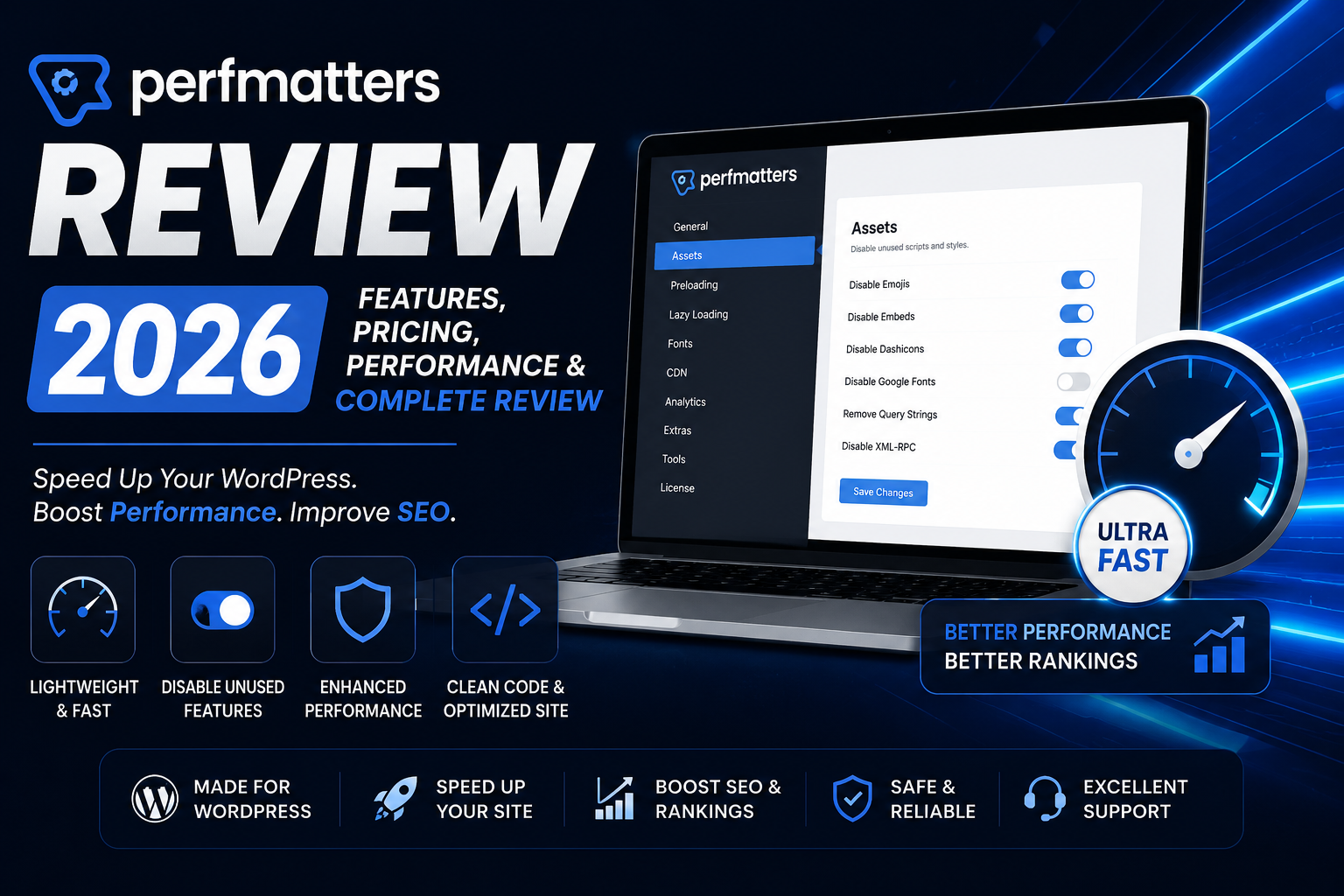
Improving WordPress speed is no longer just about installing a caching plugin. Modern websites load multiple JavaScript files, CSS assets, fonts, emojis, embeds, and third-party scripts that can significantly affect loading times and Core Web Vitals.
This is where Perfmatters stands out. Instead of functioning as a traditional caching plugin, Perfmatters focuses on removing unnecessary WordPress features and reducing page bloat. It gives website owners fine-grained control over scripts, assets, fonts, and background processes, helping create faster, leaner websites.
In this Perfmatters Review 2026, we’ll explore its features, pricing, ease of use, and whether it’s worth adding to your WordPress optimization toolkit.
What is Perfmatters?
Perfmatters is a premium WordPress performance optimization plugin developed to improve website speed by disabling unnecessary WordPress features and optimizing frontend assets.
Unlike caching plugins such as WP Rocket or LiteSpeed Cache, Perfmatters doesn’t replace caching. Instead, it complements caching plugins by reducing the amount of code and requests that browsers need to process.
Many website owners use Perfmatters alongside caching plugins to maximize performance and improve Core Web Vitals.
Key Features
1. Script Manager
One of Perfmatters’ most popular features is Script Manager.
It allows you to disable CSS and JavaScript files on pages where they aren’t needed.
For example:
- Contact Form scripts can be disabled on pages without forms.
- WooCommerce assets can be disabled on blog posts.
- Slider scripts can be disabled where no sliders are used.
Reducing unnecessary assets decreases HTTP requests and improves page loading speed.
Benefits
- Smaller page size
- Faster rendering
- Better Core Web Vitals
- Lower server load
2. Disable Unused WordPress Features
WordPress enables many features by default that not every website needs.
Perfmatters allows you to disable features such as:
- Emojis
- Embeds
- XML-RPC
- Dashicons for visitors
- RSS feeds (optional)
- REST API access (where appropriate)
- jQuery Migrate
Removing these unnecessary features reduces page weight and improves performance.
3. Database Optimization
Over time, WordPress databases accumulate unnecessary data.
Perfmatters includes tools to clean:
- Post revisions
- Auto drafts
- Spam comments
- Trashed comments
- Expired transients
- Database overhead
Regular optimization helps maintain a healthy database and can improve backend performance.
4. Lazy Loading
Perfmatters supports lazy loading for:
- Images
- Videos
- iFrames
Media files load only when they become visible on the screen, improving initial page speed and reducing bandwidth usage.
5. Local Analytics Hosting
Third-party scripts like Google Analytics can create additional DNS lookups and external requests.
Perfmatters allows you to host certain analytics scripts locally, helping reduce external requests and improve loading performance.
6. Font Optimization
Fonts can significantly affect loading speed.
Perfmatters provides options to:
- Preload fonts
- Optimize Google Fonts
- Reduce font requests
- Improve text rendering performance
These optimizations contribute to better user experience and faster visual loading.
7. Preloading
The plugin supports preloading important resources such as:
- Fonts
- Key images
- Critical assets
Preloading helps browsers prioritize important resources and improve loading performance.
8. WooCommerce Optimization
WooCommerce loads several scripts even on pages where they’re not needed.
Perfmatters helps optimize WooCommerce by reducing unnecessary frontend assets, improving speed without affecting store functionality.
Performance
Perfmatters doesn’t create page cache. Instead, it focuses on reducing unnecessary requests, scripts, and assets before they reach the browser.
When combined with a quality caching plugin, it can significantly improve:
- Largest Contentful Paint (LCP)
- Interaction to Next Paint (INP)
- First Contentful Paint (FCP)
- Time to Interactive (TTI)
The exact results depend on your hosting, theme, installed plugins, and website configuration.
Ease of Use
Perfmatters has a clean and lightweight interface. Most settings are organized into simple tabs with clear descriptions, making it easy to enable or disable features.
While beginners can use the default recommendations, advanced users will appreciate the flexibility of the Script Manager and optimization controls.
Pricing
Perfmatters is a premium-only plugin with no free version.
The license includes updates and support, with different plans based on the number of websites you want to use it on. For the latest pricing and licensing details, always refer to the official Perfmatters website.
Who Should Use Perfmatters?
Perfmatters is ideal for:
- Bloggers
- Affiliate marketers
- WooCommerce stores
- Business websites
- Agencies
- Developers
- Portfolio websites
It is especially useful for users who already have a caching plugin and want to eliminate unnecessary scripts and improve overall frontend performance.
Pros & Cons
Pros
- Lightweight performance optimization plugin
- Powerful Script Manager for disabling unused CSS and JavaScript
- Easy-to-use interface
- Helps improve Core Web Vitals
- Works with most caching plugins
- WooCommerce optimization features
- Regular updates and good documentation
- No unnecessary bloat
Cons
- No free version available
- Not a replacement for a caching plugin
- Script Manager requires careful testing on complex websites
- Beginners may not use all advanced optimization features
Perfmatters vs WP Rocket
Although both plugins improve website performance, they serve different purposes.
| Feature | Perfmatters | WP Rocket |
|---|---|---|
| Page Caching | ❌ | ✅ |
| Script Manager | ✅ | ❌ |
| Database Cleanup | ✅ | ✅ |
| Delay JavaScript | ✅ | ✅ |
| Lazy Loading | ✅ | ✅ |
| WooCommerce Optimization | ✅ | ✅ |
| Best Use | Asset Optimization | Full Caching Solution |
Choose Perfmatters if:
- You already use a caching plugin.
- You want to disable unnecessary scripts.
- You need more control over frontend optimization.
- You want to improve Core Web Vitals by reducing page bloat.
Choose WP Rocket if:
- You need an all-in-one caching plugin.
- You want automatic optimization with minimal setup.
- You don’t already have a caching solution.
Recommendation: Many advanced WordPress users combine Perfmatters + WP Rocket for excellent performance.
Perfmatters vs FlyingPress
FlyingPress includes caching and several built-in optimization features, while Perfmatters specializes in reducing unnecessary assets.
| Feature | Perfmatters | FlyingPress |
|---|---|---|
| Page Cache | ❌ | ✅ |
| Script Manager | ✅ | ❌ |
| CSS Optimization | ✅ | ✅ |
| JavaScript Optimization | ✅ | ✅ |
| Lazy Loading | ✅ | ✅ |
| Image Optimization | Limited | ✅ |
| Ease of Use | ⭐⭐⭐⭐⭐ | ⭐⭐⭐⭐⭐ |
Which One Should You Choose?
- Choose Perfmatters if you already have caching and want advanced frontend optimization.
- Choose FlyingPress if you want an all-in-one premium performance plugin.
Best Alternatives
1. WP Rocket
A premium caching plugin that combines caching, file optimization, lazy loading, and database cleanup in one package.
2. FlyingPress
A modern performance plugin focused on improving Core Web Vitals with a clean interface and built-in optimization tools.
3. LiteSpeed Cache
An excellent free option, especially for websites hosted on LiteSpeed Web Server.
4. NitroPack
A cloud-based performance solution that combines caching, CDN, and optimization features.
5. Asset CleanUp
Another plugin focused on unloading unnecessary CSS and JavaScript files, suitable for advanced users.
Frequently Asked Questions
Is Perfmatters a caching plugin?
No. Perfmatters is a performance optimization plugin. It complements caching plugins by reducing unnecessary scripts and assets but does not provide full-page caching.
Can I use Perfmatters with WP Rocket?
Yes. In fact, many WordPress professionals use Perfmatters alongside WP Rocket because the two plugins focus on different areas of optimization.
Does Perfmatters work with WooCommerce?
Yes. It includes WooCommerce-specific optimizations to reduce unnecessary frontend assets while maintaining store functionality.
Is Perfmatters beginner-friendly?
Yes. The interface is clean and well-organized. Beginners can start with the recommended settings, while advanced users can make use of Script Manager for more granular control.
Does Perfmatters improve Core Web Vitals?
Yes. By reducing unused assets, optimizing scripts, and minimizing page weight, Perfmatters can contribute to better Core Web Vitals. Results depend on your hosting, theme, and overall website setup.
Final Verdict
Perfmatters is one of the best WordPress performance optimization plugins available in 2026 for users who want more control over frontend optimization. Instead of trying to replace a caching plugin, it focuses on reducing unnecessary scripts, optimizing assets, and improving website efficiency.
If you already use a caching plugin such as WP Rocket, LiteSpeed Cache, or FlyingPress, Perfmatters can be an excellent addition to your optimization stack. For users looking for an all-in-one solution with built-in caching, another plugin may be more suitable.
Overall, Perfmatters delivers strong value for website owners who are serious about improving speed and Core Web Vitals.
Final Ratings
| Category | Rating |
|---|---|
| Features | ⭐⭐⭐⭐⭐ |
| Performance | ⭐⭐⭐⭐⭐ |
| Ease of Use | ⭐⭐⭐⭐⭐ |
| Value for Money | ⭐⭐⭐⭐☆ |
| Documentation | ⭐⭐⭐⭐⭐ |
| Support | ⭐⭐⭐⭐☆ |
| Overall Rating | 9.5/10 |
WPForms Review 2026 – Features, Pricing, Pros & Cons & Complete Review
SEOPress Review 2026 – Features, Pricing, Pros & Cons & Complete Review

All in One SEO Review 2026 – Features, Pricing, Pros & Cons & Complete Review
Yoast SEO Review 2026 – Features, Pricing, Pros & Cons & Complete Review
WPForms Review 2026 – Features, Pricing, Pros & Cons & Complete Review
SEOPress Review 2026 – Features, Pricing, Pros & Cons & Complete Review
All in One SEO Review 2026 – Features, Pricing, Pros & Cons & Complete Review