

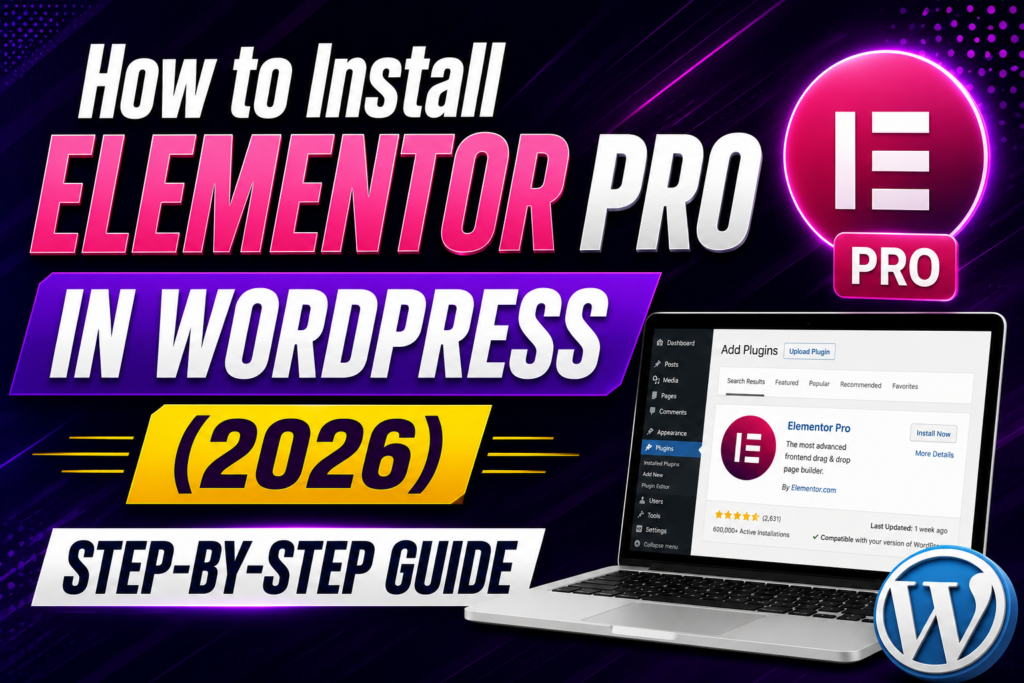
Elementor Pro has become one of the most popular premium WordPress page builders, powering millions of websites worldwide. It is known for its visual drag-and-drop editor, professional design tools, and extensive customization options that help users create websites without writing code.
But is Elementor Pro still worth buying in 2026? In this review, we’ll evaluate its features, usability, performance, strengths, limitations, and the type of users who benefit most from it.
What Is Elementor Pro?
Elementor Pro is the premium extension of the Elementor page builder plugin. While the free version offers a capable visual editor, Pro adds advanced features such as:
- Theme Builder
- WooCommerce Builder
- Popup Builder
- Form Builder
- Dynamic Tags
- Loop Builder
- Custom CSS
- Global Widgets
- Premium Templates
These features make it suitable for freelancers, agencies, businesses, bloggers, and WooCommerce store owners.
User Interface & Ease of Use
One of Elementor Pro’s strongest advantages is its intuitive interface.
The editor includes:
- Live visual editing
- Drag-and-drop widgets
- Real-time preview
- Navigator panel
- Revision history
- Responsive editing
Even users with no coding experience can build professional pages after a short learning period.
Ease of Use Rating: ⭐⭐⭐⭐⭐
Design Flexibility
Elementor Pro offers exceptional control over layouts and styling.
You can customize:
- Headers
- Footers
- Blog templates
- Archive pages
- WooCommerce templates
- Landing pages
- Popups
- Forms
Global Colors and Global Fonts help maintain consistent branding across an entire website.
Design Flexibility Rating: ⭐⭐⭐⭐⭐
Widget Library
Elementor Pro includes dozens of advanced widgets, including:
- Forms
- Posts
- Portfolio
- Price Table
- Call to Action
- Countdown
- Login
- Slides
- Nav Menu
- Table of Contents
- Testimonial Carousel
- Media Carousel
- Flip Box
- Share Buttons
These widgets reduce the need for additional plugins and speed up website development.
Theme Builder
Theme Builder is one of Elementor Pro’s standout features.
Instead of editing PHP templates, you can visually design:
- Header
- Footer
- Single Post
- Archive
- Search Results
- 404 Page
- Custom Post Types
Display Conditions let you assign templates to specific content, giving you complete control over your site’s structure.
WooCommerce Builder
For eCommerce websites, Elementor Pro provides dedicated WooCommerce design tools.
You can customize:
- Product Pages
- Shop Pages
- Product Archives
- Cart
- Checkout
- My Account
This allows store owners to create branded shopping experiences without modifying WooCommerce template files.
Marketing Features
Elementor Pro includes several tools useful for lead generation and marketing.
Examples include:
- Popup Builder
- Form Builder
- Countdown Timers
- Call-to-Action Widgets
- Landing Page Templates
These built-in features reduce the need for separate marketing plugins.
Performance
A common concern is website speed.
Elementor Pro itself is not inherently slow, but performance depends on factors such as:
- Hosting quality
- Theme choice
- Image optimization
- Caching
- Number of widgets
- Third-party addons
When paired with a lightweight theme, optimized images, and proper caching, Elementor Pro can perform very well.
Performance Rating: ⭐⭐⭐⭐☆
Compatibility
Elementor Pro works well with many popular WordPress tools, including:
- Astra
- GeneratePress
- Kadence
- Hello Elementor
- Blocksy
- WooCommerce
- Rank Math
- Yoast SEO
- ACF
- JetEngine
This broad compatibility makes it a versatile choice for many types of websites.
Pricing
Elementor Pro is available through annual subscription plans that vary based on the number of websites supported and included services.
When choosing a plan, consider:
- Number of websites you’ll manage
- Need for premium support
- Future scalability
Always check Elementor’s official website for the latest pricing and plan details.
Pros
- Beginner-friendly interface
- Excellent visual editor
- Powerful Theme Builder
- WooCommerce Builder
- Popup Builder included
- Large template library
- Strong documentation
- Frequent updates
- Large ecosystem
Cons
- Premium license required
- Too many addons can reduce performance
- Advanced features take time to master
- Poor optimization can affect speed
Who Should Buy Elementor Pro?
Elementor Pro is a great fit for:
- Freelancers
- Agencies
- Small businesses
- Bloggers
- WooCommerce store owners
- Marketing teams
- Website designers
It may be unnecessary for users with very simple websites that only require basic page editing.
Overall Rating
| Category | Rating |
|---|---|
| Ease of Use | ⭐⭐⭐⭐⭐ |
| Features | ⭐⭐⭐⭐⭐ |
| Design Flexibility | ⭐⭐⭐⭐⭐ |
| WooCommerce | ⭐⭐⭐⭐⭐ |
| Performance | ⭐⭐⭐⭐☆ |
| Documentation | ⭐⭐⭐⭐⭐ |
| Support | ⭐⭐⭐⭐☆ |
| Value for Money | ⭐⭐⭐⭐☆ |
| Overall | ⭐⭐⭐⭐⭐ |
Frequently Asked Questions
Is Elementor Pro worth buying in 2026?
For professionals, agencies, businesses, and WooCommerce users, Elementor Pro offers a comprehensive feature set that can justify the investment.
Is Elementor Pro beginner-friendly?
Yes. Its visual editor is designed to be approachable while still offering advanced customization options.
Does Elementor Pro replace a theme?
It customizes many parts of a theme through Theme Builder, but you’ll still need a compatible WordPress theme.
Is Elementor Pro fast?
With good hosting, optimized images, caching, and careful use of widgets, Elementor Pro can deliver strong performance.
Can I use Elementor Pro for client websites?
Yes. Many freelancers and agencies use Elementor Pro to streamline client projects and maintain reusable templates.
Final Verdict
Elementor Pro remains one of the leading visual website builders for WordPress. Its combination of ease of use, design flexibility, marketing tools, WooCommerce integration, and strong ecosystem makes it an excellent choice for a wide range of users.
While performance depends on your overall website setup, Elementor Pro provides the tools needed to create professional, responsive websites efficiently. If you regularly build WordPress sites or need advanced customization without extensive coding, it continues to be a compelling option.
WPForms Review 2026 – Features, Pricing, Pros & Cons & Complete Review
SEOPress Review 2026 – Features, Pricing, Pros & Cons & Complete Review

All in One SEO Review 2026 – Features, Pricing, Pros & Cons & Complete Review

Yoast SEO Review 2026 – Features, Pricing, Pros & Cons & Complete Review
WPForms Review 2026 – Features, Pricing, Pros & Cons & Complete Review
SEOPress Review 2026 – Features, Pricing, Pros & Cons & Complete Review
All in One SEO Review 2026 – Features, Pricing, Pros & Cons & Complete Review