
WPForms Review 2026 – Features, Pricing, Pros & Cons & Complete Review
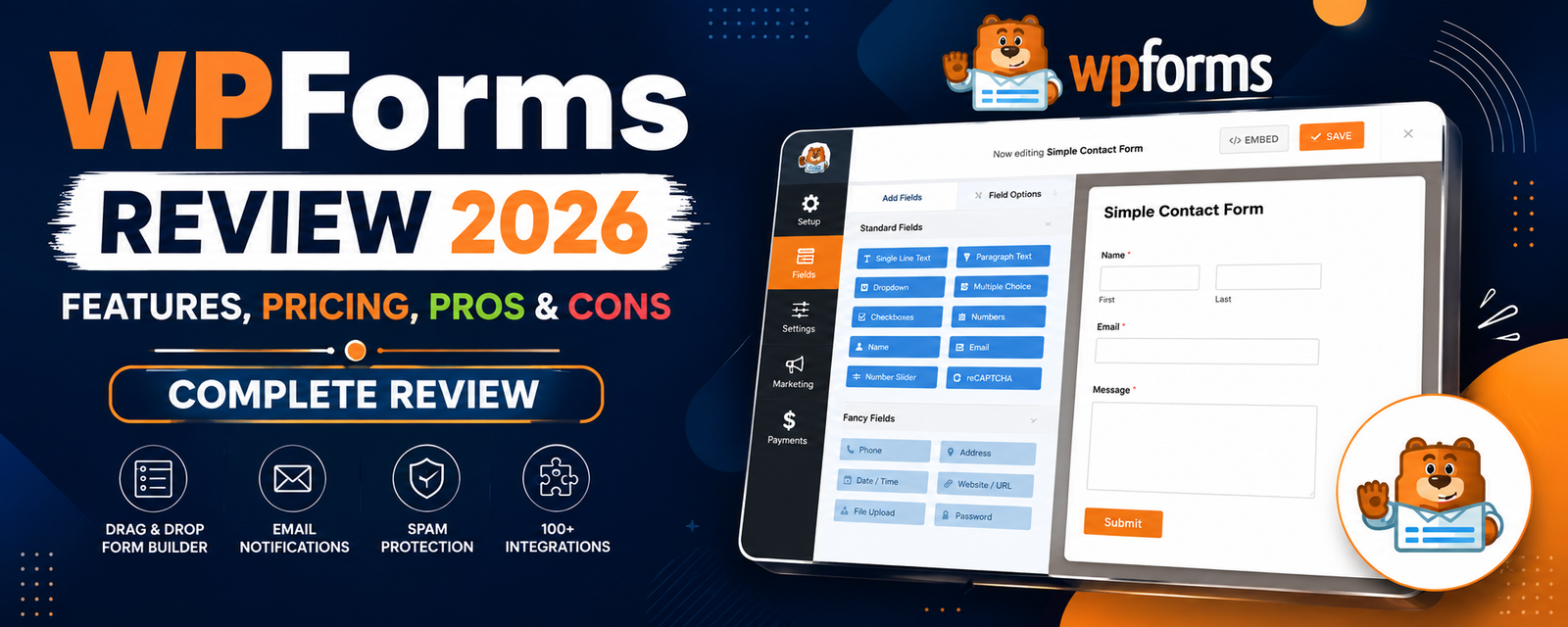
Every WordPress website needs a reliable contact form, whether it’s for customer inquiries, lead generation, feedback, or online registrations. While there are many form builder plugins available, WPForms remains one of the most popular choices thanks to its beginner-friendly drag-and-drop builder, extensive template library, and wide range of integrations.
From simple contact forms to payment forms, surveys, file uploads, and newsletter signup forms, WPForms is designed to make form creation easy without requiring coding knowledge.
In this WPForms Review 2026, we’ll examine its features, pricing, ease of use, performance, and whether it’s worth choosing over competitors like Fluent Forms and Gravity Forms.
What is WPForms?
WPForms is a drag-and-drop WordPress form builder developed by the team behind several popular WordPress products. It allows users to create professional forms using a visual builder instead of writing code.
The plugin supports a wide variety of form types, including:
- Contact forms
- Feedback forms
- Quote request forms
- Newsletter signup forms
- Payment forms
- Survey & poll forms
- Registration forms
- File upload forms
- Multi-step forms
A free version, WPForms Lite, is available with basic functionality, while the premium version unlocks advanced features and integrations.
Key Features
1. Drag-and-Drop Form Builder
WPForms provides a visual editor where users can create forms by dragging fields into place.
Available fields include:
- Name
- Phone
- Dropdown
- Checkboxes
- Multiple Choice
- File Upload
- Date Picker
- Rating
- Rich Text
- Hidden Fields
This makes form creation simple even for beginners.
2. Ready-Made Templates
WPForms includes a large collection of pre-designed templates that help users create forms quickly.
Templates cover use cases such as:
- Contact forms
- Business inquiries
- Job applications
- Event registrations
- Customer feedback
- Newsletter subscriptions
- Support requests
Using templates can significantly reduce setup time.
3. Smart Conditional Logic
Conditional Logic allows forms to display or hide fields based on user selections.
Example:
If a visitor selects Business Inquiry, additional business-related questions can appear automatically.
Benefits include:
- Cleaner forms
- Better user experience
- Higher completion rates
4. Payment Integration
WPForms supports online payments through popular payment gateways.
Depending on your plan, integrations may include:
- Stripe
- PayPal
- Square
- Authorize.net
This allows businesses to accept payments directly through WordPress forms.
5. Spam Protection
To reduce spam submissions, WPForms supports multiple anti-spam options.
These include:
- Google reCAPTCHA
- hCaptcha
- Cloudflare Turnstile
- Built-in anti-spam protection
This helps improve form security without affecting user experience.
6. Email Marketing Integrations
WPForms integrates with popular email marketing services, making it easy to collect leads and grow subscriber lists.
Common integrations include:
- Mailchimp
- Constant Contact
- ActiveCampaign
- Brevo
- AWeber
- Drip
7. Survey & Polls
The premium version includes survey and polling features with visual reports.
Users can:
- Create customer surveys
- Conduct employee feedback
- Collect product reviews
- Display poll results
8. File Upload Support
Visitors can upload documents, images, PDFs, and other files directly through forms.
This feature is useful for:
- Job applications
- Support tickets
- Document submissions
- Client onboarding
Performance
WPForms is designed to work efficiently on most WordPress websites. Forms load quickly, and the plugin integrates well with popular themes and page builders.
Its performance depends on the complexity of the forms, third-party integrations, and the hosting environment, but for most websites it has a minimal impact on page speed.
Ease of Use
One of WPForms’ biggest strengths is its intuitive interface. The drag-and-drop builder, setup wizard, and template library make it one of the easiest form plugins for beginners.
Even advanced forms can often be built without writing custom code.
Pricing
WPForms offers a free Lite version for basic contact forms.
Premium plans unlock advanced features such as:
- Conditional Logic
- Payment gateways
- Marketing integrations
- Surveys & Polls
- Multi-page forms
- User registration
- File uploads
- Advanced form fields
For the latest pricing, check the official WPForms website.
Who Should Use WPForms?
WPForms is ideal for:
- Bloggers
- Small businesses
- WooCommerce stores
- Agencies
- Freelancers
- Educational websites
- Non-profit organizations
If you want a user-friendly form builder with a strong ecosystem and reliable support, WPForms is one of the best options available.
Pros & Cons
Pros
- Beginner-friendly drag-and-drop builder
- Large collection of ready-made form templates
- Free version available
- Powerful conditional logic
- Excellent payment gateway support
- Easy integration with email marketing services
- Spam protection with multiple CAPTCHA options
- Responsive forms that work well on mobile devices
- Extensive documentation and customer support
Cons
- Many advanced features require a premium plan
- Free version has limited integrations
- Premium plans can be expensive for small websites
- Some advanced add-ons are available only on higher-tier plans
WPForms vs Fluent Forms
WPForms and Fluent Forms are two of the most popular WordPress form builder plugins.
| Feature | WPForms | Fluent Forms |
|---|---|---|
| Free Version | ✅ | ✅ |
| Drag & Drop Builder | ✅ | ✅ |
| Conditional Logic | Premium | Free & Premium |
| Payment Integration | Premium | Premium |
| Conversational Forms | ✅ | ✅ |
| Multi-Step Forms | ✅ | ✅ |
| Ease of Use | ⭐⭐⭐⭐⭐ | ⭐⭐⭐⭐☆ |
| Value for Money | ⭐⭐⭐⭐☆ | ⭐⭐⭐⭐⭐ |
Choose WPForms if:
- You want the easiest form builder.
- You prefer a polished interface with a large template library.
- You need strong documentation and support.
Choose Fluent Forms if:
- You want more advanced features in the free version.
- You’re looking for better value on a limited budget.
- You need faster-growing feature updates.
WPForms vs Gravity Forms
Gravity Forms is a long-established premium form builder aimed at advanced users and developers.
| Feature | WPForms | Gravity Forms |
|---|---|---|
| Free Version | ✅ | ❌ |
| Drag & Drop Builder | ✅ | ✅ |
| Payment Gateways | Premium | ✅ |
| User Registration | Premium | ✅ |
| Developer Friendly | ⭐⭐⭐⭐☆ | ⭐⭐⭐⭐⭐ |
| Beginner Friendly | ⭐⭐⭐⭐⭐ | ⭐⭐⭐⭐☆ |
Which One Should You Choose?
- Choose WPForms if you want an intuitive, beginner-friendly experience.
- Choose Gravity Forms if you need advanced developer-focused features and extensive integrations.
Best Alternatives
1. Fluent Forms
A feature-rich form builder known for its speed, modern interface, and excellent value.
2. Gravity Forms
A premium solution for businesses and developers needing advanced workflows and integrations.
3. Formidable Forms
Ideal for creating complex forms, calculators, and data-driven applications.
4. Ninja Forms
A flexible form builder with a modular add-on ecosystem.
5. Everest Forms
A lightweight form builder suitable for simple contact forms and small business websites.
Frequently Asked Questions
Is WPForms free?
Yes. WPForms Lite is available for free and includes the essential features needed to build basic contact forms.
Is WPForms worth buying?
If you need advanced features such as payment gateways, conditional logic, marketing integrations, surveys, or file uploads, the premium version offers good value for many businesses.
Does WPForms work with WooCommerce?
Yes. WPForms integrates well with WooCommerce websites and can be used for inquiry forms, custom order requests, customer feedback, and payment forms.
Can I accept payments with WPForms?
Yes. Premium plans support payment gateways such as Stripe, PayPal, Square, and Authorize.net (availability depends on your plan).
Is WPForms beginner-friendly?
Yes. WPForms is one of the easiest WordPress form builder plugins to use thanks to its drag-and-drop builder and ready-made templates.
Final Verdict
WPForms continues to be one of the best WordPress form builder plugins in 2026. Its intuitive drag-and-drop interface, extensive template library, and reliable integrations make it an excellent choice for beginners and businesses alike.
While some advanced features require a premium subscription, the free version is sufficient for many websites that only need basic contact forms. For users looking to build payment forms, surveys, registration forms, or advanced workflows, the premium version is a worthwhile upgrade.
If ease of use and reliability are your priorities, WPForms remains one of the strongest options available.
Final Ratings
| Category | Rating |
|---|---|
| Features | ⭐⭐⭐⭐⭐ |
| Ease of Use | ⭐⭐⭐⭐⭐ |
| Performance | ⭐⭐⭐⭐⭐ |
| Value for Money | ⭐⭐⭐⭐☆ |
| Documentation | ⭐⭐⭐⭐⭐ |
| Support | ⭐⭐⭐⭐⭐ |
| Overall Rating | 9.7/10 |
WPForms Review 2026 – Features, Pricing, Pros & Cons & Complete Review
SEOPress Review 2026 – Features, Pricing, Pros & Cons & Complete Review

All in One SEO Review 2026 – Features, Pricing, Pros & Cons & Complete Review

Yoast SEO Review 2026 – Features, Pricing, Pros & Cons & Complete Review
WPForms Review 2026 – Features, Pricing, Pros & Cons & Complete Review
SEOPress Review 2026 – Features, Pricing, Pros & Cons & Complete Review
All in One SEO Review 2026 – Features, Pricing, Pros & Cons & Complete Review