
Elementor Pro Features Explained (2026): Complete Guide to Every Major Feature
Introduction
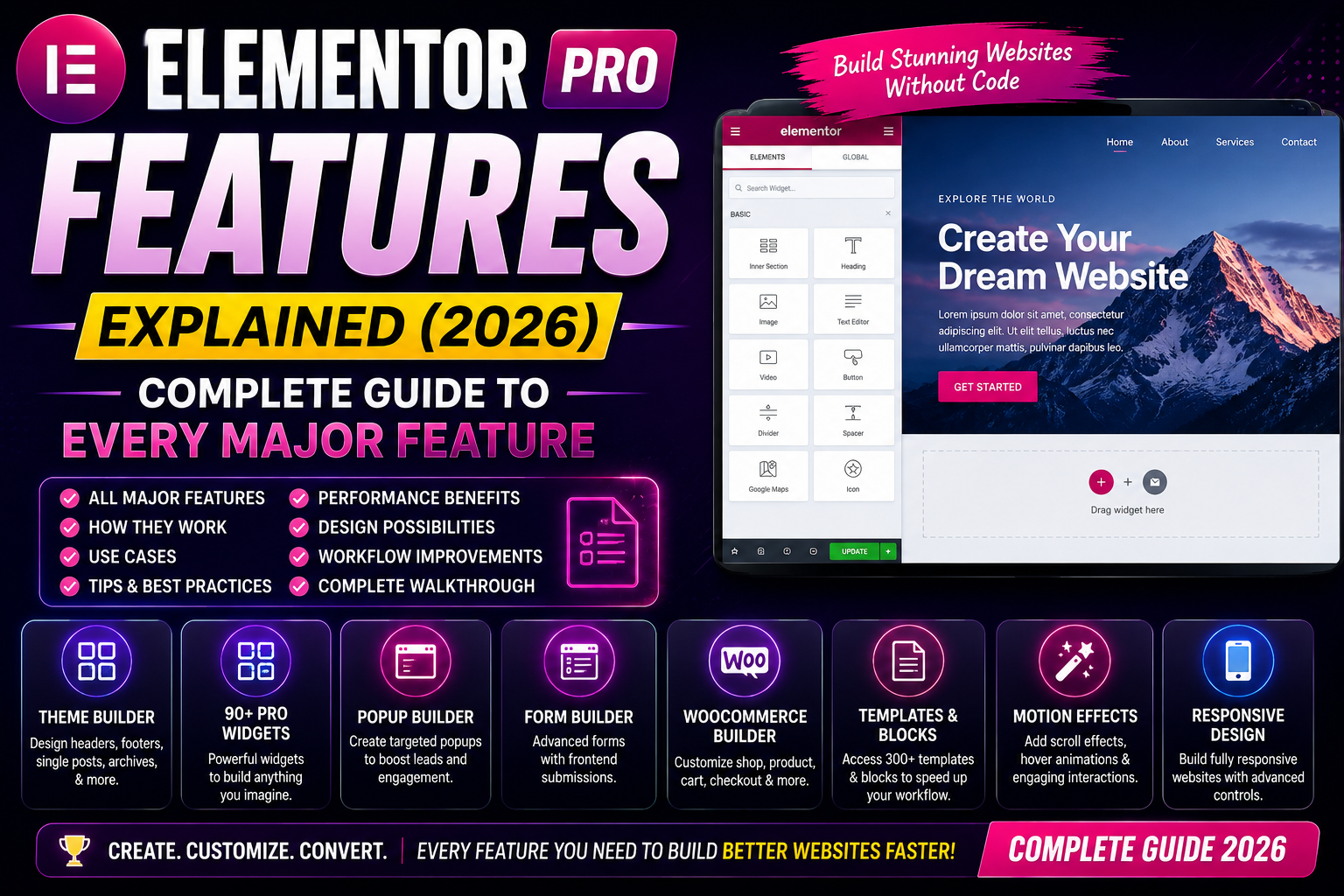
Elementor Pro includes far more than just a drag-and-drop page builder. It provides a complete visual website-building platform that allows you to design almost every part of a WordPress website—from headers and footers to WooCommerce product pages and marketing popups.
Understanding each feature helps you decide whether Elementor Pro meets your project requirements and how to use it efficiently.
Why Elementor Pro Is Popular
Millions of WordPress users choose Elementor Pro because it combines:
- Easy visual editing
- Professional design tools
- Extensive widget library
- Theme customization
- Marketing features
- WooCommerce support
- Dynamic content integration
- Large ecosystem and community
This combination makes it suitable for beginners, freelancers, agencies, and businesses.
1. Visual Drag-and-Drop Editor
The visual editor is Elementor’s core feature.
Instead of editing code, you drag widgets into your layout and customize them in real time.
Benefits
- Live preview
- Faster page creation
- Beginner-friendly interface
- No coding required for most layouts
- Responsive editing tools
2. Theme Builder
Theme Builder allows you to design website-wide templates visually.
You can customize:
- Header
- Footer
- Single Posts
- Archive Pages
- Search Results
- 404 Pages
- Custom Post Types
Instead of editing PHP template files, you can assign templates using display conditions.
Best For
- Agencies
- Bloggers
- WooCommerce stores
- Business websites
3. WooCommerce Builder
One of the strongest Pro features.
You can visually customize:
- Product Pages
- Shop Pages
- Product Archives
- Cart
- Checkout
- My Account
Advantages
- Consistent branding
- Higher design flexibility
- Improved shopping experience
- Better conversion opportunities
4. Popup Builder
Elementor Pro includes a complete popup creation system.
Create:
- Newsletter Popups
- Exit Intent Offers
- Discount Popups
- Welcome Messages
- Age Verification
- Announcement Bars
Display conditions let you control exactly where and when each popup appears.
5. Form Builder
Instead of installing another contact form plugin, Elementor Pro includes a built-in Form widget.
You can create:
- Contact Forms
- Lead Forms
- Appointment Requests
- Newsletter Signups
- Quote Requests
- Multi-field Forms
It supports integrations with many popular email marketing and CRM services.
6. Loop Builder
Loop Builder allows you to create reusable layouts for dynamic content.
Examples:
- Blog cards
- Property listings
- Team members
- Product grids
- Portfolio items
Instead of manually designing every item, Elementor automatically applies the template across the loop.
7. Dynamic Tags
Dynamic Tags pull information directly from WordPress or custom fields.
Examples include:
- Post Title
- Featured Image
- Author Name
- Publish Date
- Custom Fields (ACF, JetEngine)
- User Information
This is especially useful for directories, real estate sites, job portals, and membership websites.
8. Global Styles
Global Styles ensure consistency across your website.
You can define:
- Colors
- Typography
- Buttons
- Form Styles
- Layout Width
Updating a global style automatically updates every page using that style.
9. Motion Effects
Elementor Pro includes built-in animations such as:
- Fade
- Zoom
- Slide
- Rotate
- Mouse Tracking
- Sticky Effects
- Scrolling Effects
Use these sparingly to enhance user experience without harming performance.
10. Custom CSS
Advanced users can add CSS directly to widgets, containers, or pages.
Common use cases:
- Fine-tuning layouts
- Hover effects
- Advanced styling
- Custom animations
- Responsive adjustments
11. AI Features
Elementor now includes AI-powered tools (availability depends on your plan and subscription).
These tools can assist with:
- Generating text
- Writing code snippets
- Creating layouts
- Editing content
- Improving workflow
Always review AI-generated output before publishing.
12. Responsive Editing
Switch between:
- Desktop
- Tablet
- Mobile
You can customize:
- Font sizes
- Margins
- Padding
- Visibility
- Alignment
This helps ensure your website looks good on different screen sizes.
13. Role Manager
Role Manager lets administrators control which Elementor features different user roles can access.
Useful for:
- Agencies
- Teams
- Multi-author websites
14. Template Library
Elementor Pro provides access to a library of professionally designed templates and website kits.
You can:
- Import complete websites
- Use individual page templates
- Save your own templates
- Reuse sections across projects
15. Performance Features
Elementor includes several performance-related options.
Examples include:
- Optimized DOM Output
- Improved Asset Loading
- Lazy Loading support (where applicable)
- Performance Experiments
- Flexbox Containers
To achieve the best performance, combine these features with quality hosting, caching, and optimized images.
Pros
- Complete website builder
- Easy drag-and-drop editing
- Theme Builder included
- WooCommerce support
- Large widget library
- Built-in Popup Builder
- Dynamic content capabilities
- Strong community and documentation
Cons
- Premium subscription required
- Poor optimization can affect speed
- Advanced features have a learning curve
- Too many third-party addons can reduce performance
FAQs
Which Elementor Pro feature is the most useful?
For many users, Theme Builder is the standout feature because it enables complete visual control over headers, footers, blog templates, and other global layouts.
Can I use all features without coding?
Most features can be used without coding, though custom CSS can provide additional flexibility for advanced users.
Does Elementor Pro include WooCommerce tools?
Yes. WooCommerce Builder is one of its key premium features.
Can I build dynamic websites?
Yes. Dynamic Tags and integrations with custom field plugins make Elementor Pro suitable for many dynamic website projects.
Is the Popup Builder included?
Yes. It is available in Elementor Pro and can replace many standalone popup plugins.
Conclusion
Elementor Pro goes far beyond a standard page builder. Its combination of Theme Builder, WooCommerce Builder, Popup Builder, Form Builder, Dynamic Content, and responsive design tools makes it a comprehensive platform for creating professional WordPress websites.
The best results come from understanding which features you actually need and configuring them thoughtfully, rather than enabling every available option.
WPForms Review 2026 – Features, Pricing, Pros & Cons & Complete Review
SEOPress Review 2026 – Features, Pricing, Pros & Cons & Complete Review

All in One SEO Review 2026 – Features, Pricing, Pros & Cons & Complete Review
Yoast SEO Review 2026 – Features, Pricing, Pros & Cons & Complete Review
WPForms Review 2026 – Features, Pricing, Pros & Cons & Complete Review
SEOPress Review 2026 – Features, Pricing, Pros & Cons & Complete Review
All in One SEO Review 2026 – Features, Pricing, Pros & Cons & Complete Review